To Register SFDC Dev 401 Certification, follow the below steps. Similarly, you can register other Salesforce Certification Exams.
1. Visit https://www.webassessor.com/salesforce and create a new account for you.
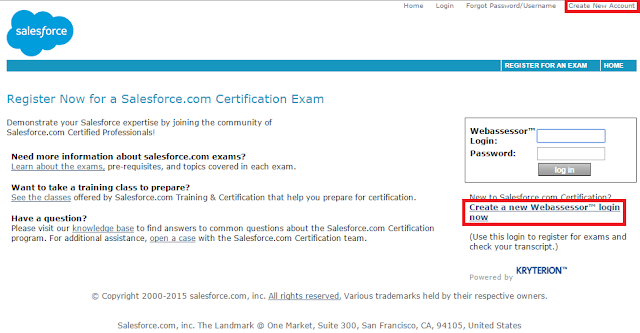
2. Click ‘+’ adjacent to Developer Exams
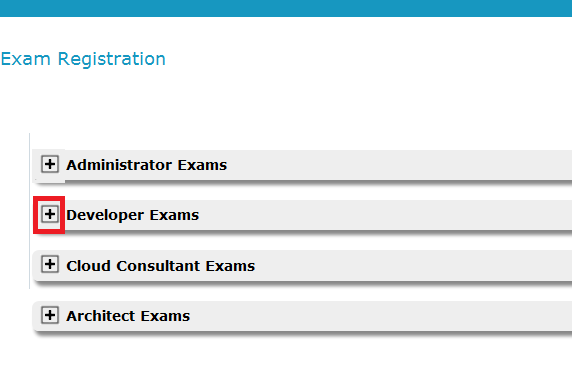
3. Click on Salesforce.com Certified Force.com Developer
4. You’ll be able to choose ‘Onsite’ or ‘Online’ exam and you can register from that page by clicking the ‘Register’ button.
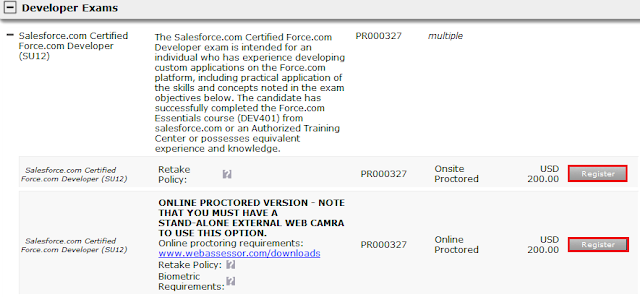
here SU12 means Summer 2012. When you are registering you may be different release of Salesforce. Kindly make sure you are clicking “Register” button under “Salesforce.com Certified Force.com Developer”.
Note:
Onsite means you should select the location and exam center for attending the exam.
Online means you can attend from your home. Visit “https://www.webassessor.com/downloads/” before registering Online exam.
As shared above, you can register other Salesforce Exams or Salesforce Certifications.